

 Follow
There might be times when you would want to turn off the cellular data on your iPhone. There could be various reasons for this, the main one being that you want to save your cellular data and only want to…

There might be times when you would want to turn off the cellular data on your iPhone. There could be various reasons for this, the main one being that you want to save your cellular data and only want to…

A lot of iPhone owners nowadays love to take selfies. Whether it is during travel, important events, parties or everyday happenings, selfies are now a very commonly used way of clicking your own pictures. After the unveiling of the forward-facing…

It’s easy to share your iPhone’s data with other nearby WiFi devices. Here’s how to make a your iPhone a Wi-Fi hotspot. Have you ever wanted to share your iPhone’s cellular connection with other nearby Wi-Fi devices? It is not…

Tap on the Messages icon to open the app. Once your messages are open, tap on the conversation of the contact for whom you want to turn on Do Not Disturb. Then tap on the symbol at the top right…
A mobile hotspot utilizes the phone’s 3G or 4G cellular network and shares that network via Wi-Fi with other devices around it. This is especially useful when you have to use your laptop or tablet at a location with no…

1. To access the camera, tap on the icon for the Camera app. Another way of accessing the Camera is via the Control Center. Just swipe upwards from the bottom of the screen to open the Control Center. Once it…

The Apple Health app that was unveiled in 2014 is a very convenient and effective tool for tracking your health and fitness goals. Since it was first introduced, a lot of changes and upgrades have been made to this app.…
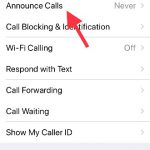
With iOS 10, a very useful new feature got introduced into the iPhone world. Any iPhone user with iOS 10 or newer can program Siri to announce the name of the caller for a incoming call. This feature is useful…

Screenshots or screen captures are very useful for various reasons. These quick pictures of the screen are used for remembering information, capturing certain steps in a procedure, sending visual information to a third party and a lot more. There are…
Google Photos is the best thing ever! Not only does it let you free up space on your phone or tablet but, by backing up your photos and videos, it enables you to easily access them across different devices. All…


